Find your next step

Play browser mini-gamePlay an original browser mini-game created by OpenGame and inspired by Loot to Forge. Train, loot and forge on desktop or mobile. Official Roblox link included.CodesFind developer-listed Loot to Forge codes, reported rewards and redemption steps. See which codes are officially listed and which remain unverified.Ore databaseSearch nine community-reported Loot to Forge ore multipliers, compare materials and send your next crafting decision to the forge calculator.Forge calculatorEstimate your Loot to Forge multiplier from up to four ore types. Compare quantities with a free calculator based on documented community readings.GuidesLearn Loot to Forge with practical beginner, forging and rebirth guides. Follow the progression loop and check sources before spending rare ores.Beginner GuideLearn the train, fight, loot and forge loop. Plan your first dungeon trips and make better use of the ores you bring home.Recipes & Forging GuideUnderstand ore multipliers, material counts and the forge preview before you commit to your next weapon or armor craft.Rebirth GuideA practical checklist for deciding when to rebirth, checking reset costs and planning the next round of progression.

Search this wiki · Esc to close

A LITTLE BOOST FOR YOUR NEXT RUN

Loot to Forge codes

The developer-listed code, reported rewards, and the status details worth reading before you redeem.

Sources checked September 30, 2026
Officially listed

50000CCU

50 Ember Stones

Listed in the official game description on September 30. Reward reported by GamesRadar; not redeemed by this site. Source ↗

Unverified

30000CCU

2 Race Rerolls + 2,000 Coins

Reported by GamesRadar. Other lists disagree about expiry; not in the current official description. Try it in game. Source ↗
Unverified

20000CCU

1 Power Potion + 2,000 Coins

Reported by GamesRadar. Other lists disagree about expiry; not in the current official description. Try it in game. Source ↗

How to redeem Loot to Forge codes

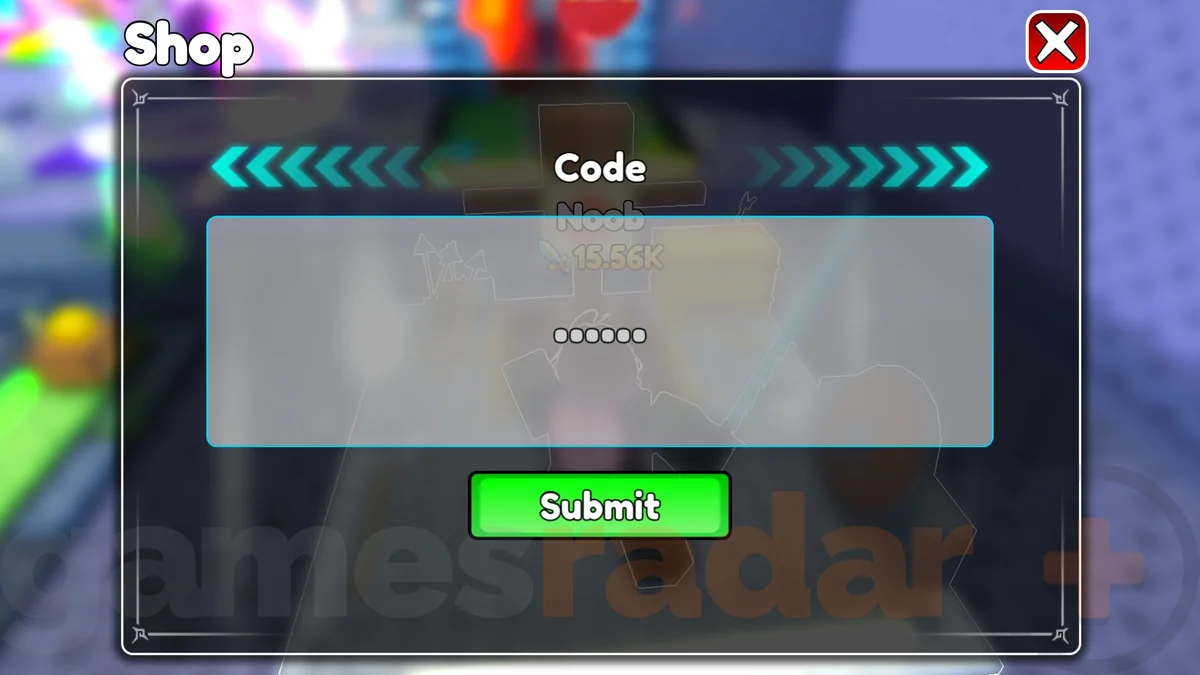
Loot to Forge in-game Shop window with the Code input and green Submit button
In-game code redemption screen. Image credit: Good Bro Studio, via GamesRadar+ ↗. Interface may change with updates.

GamesRadar’s illustrated guide reports this redemption path. If the game’s interface has changed, follow the current in-game menu.

  1. Open +1 Loot To Forge on Roblox and load into the game.
  2. Open the Shop using the shopping-cart button.
  3. Scroll down to the Codes box.
  4. Paste the code and select Submit. Check the game’s response and your reward balance.

Why a code might not work

A code may have expired, already been used on your account, or been entered with extra spaces. Read the in-game response before retrying. A missing code in the official description does not, by itself, prove it has expired.

Where to find new codes

Start with the official Roblox game description. We date our source checks and keep disputed entries separate. We do not label unverified Discord servers as official.

Expired codes

We have not independently confirmed an expired-code list. The two unverified entries above are kept visible with their limitations instead of being labeled active or expired without evidence.